
7 minutes reading time
Note: This article was first published 2023/07/08 and ChatGPT has advanced considerably in this time.
For the last few months, I've been using ChatGPT for small programming and systems administration tasks. I think it's a great tool. It's faster than looking up the parameters for Linux and PowerShell commands. It also does a good job generating basic scripts and code with minimal prompting. I think it works well most of the time, but often needs guidance.
I've been using OpenCV and its ArUco markers at my job for several years now. The built in functions can create raster images of markers, but sometimes I'd like to have vector ArUco images instead. So I decided to try make a script with ChatGPT 4 to create SVG ArUco markers with OpenCV and Python. I've never written code to create an SVG file. And while I've used python for many years. It's not my primary language. So I'd like to see how much help ChatGPT will be here.
I normally use C++ when programming with OpenCV, but lately I've become interested in using Python for more of my software projects. I like C++, but Python appears to have more common with image processing and AI. So I've been using it for more projects.
What I want right now is a simple script to create a 2x2 inch ArUco marker and store it in SVG format. So I prompted ChatGPT with:
Please create a SVG file of a 2"x2" marker from OpenCV's DICT_4x4_50 dictionary in Python. Let the user input the marker id as a command line option.
It produced the following code:
# ArUco marker dictionary
=
# Generate marker
= # 200x200 pixels
# Convert marker to SVG
=
# Save SVG
=
=
A quick glance looks basically right. It doesn't look very efficient. It's making a 200 x 200 pixel marker and adding a rectangle for each pixel. The 4x4 dictionary markers are really just 6x6 grids, so there's a lot of XML being wasted on 200 x 200 rectangles. This is far from ideal, but it's a decent starting point.
Unfortunately, in addition to the code, ChatGPT says the following:
This script generates 200x200 pixel images. If you want a 2"x2" physical marker, you should adjust your printer settings so that the image is printed at that size.
Not quite what I had in mind, but I decided keep going and address that later.
I tried the code and get the following error:
)
)
)
That's no good. I ask ChatGPT about the error, and it says I likely don't have the aruco module installed.
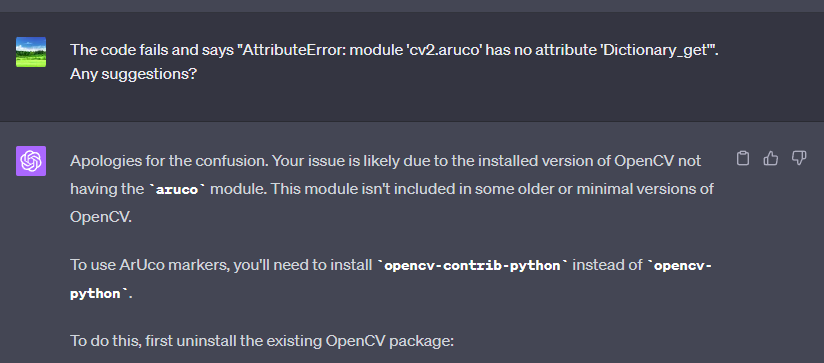 This is just wrong. First of all, the error shows that the
 aruco module is present, it just doesn't have Dictionary_get in it. It's not saying that aruco is missing. Second, I know I have OpenCV and the OpenCV-Contrib packages installed.
|
I would bet the real problem is OpenCV's ArUco interface has changed at some point after ChatGPT's cutoff date. This is actually something I see relatively often for fast moving open-source projects. ChatGPT's training set lags the real world, and sometimes its advice is out of date.
 This is easily fixed with some searching of the OpenCV documentation. There's now a function called getPredefinedDictionary() which sounds exactly what I need.
When I changed the code from
=
to
=
it fixed that error, but I immediately get another one:
)
)
) # 200x200 pixels
This is the same problem, stale training data. Searching the docs a bit more gets me to generateImageMarker()
Changing the code from
#marker = cv2.aruco.drawMarker(dictionary, id, 200) # 200x200 pixels
to
= # 200x200 pixels
Lets the program complete and creates an image.
Which looks like this:
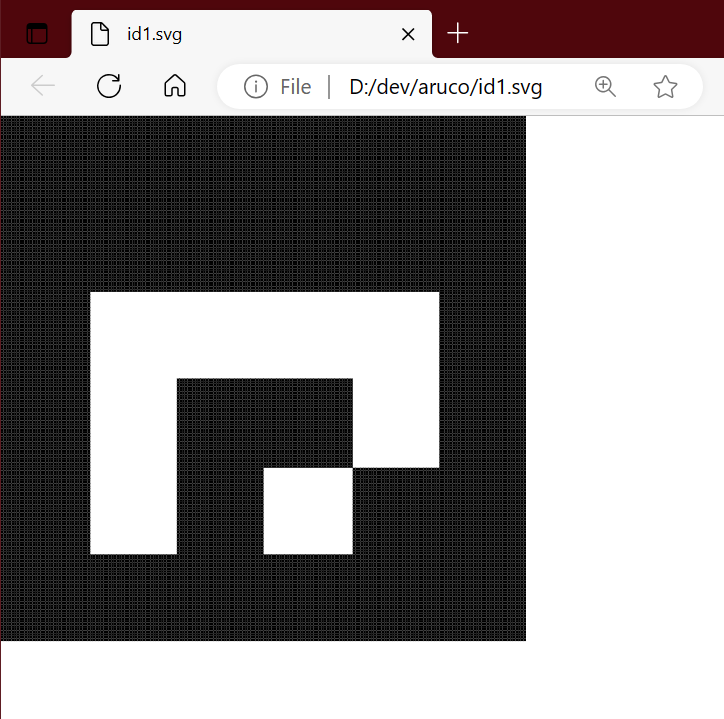 The image looks pretty good. You can see a bunch of lines due to the use of 200 x 200 rectangle to create the image. This isn't great, but acceptable as the lines don't show up when printed out.
I'm still pretty new at using ChatGPT, so I wonder if telling it about the change can improve the results. I let ChatGPT know the API has changed and ask it to use the new functions. Unfortunately it decides to use generateMarkerImage() instead of generateImageMarker().
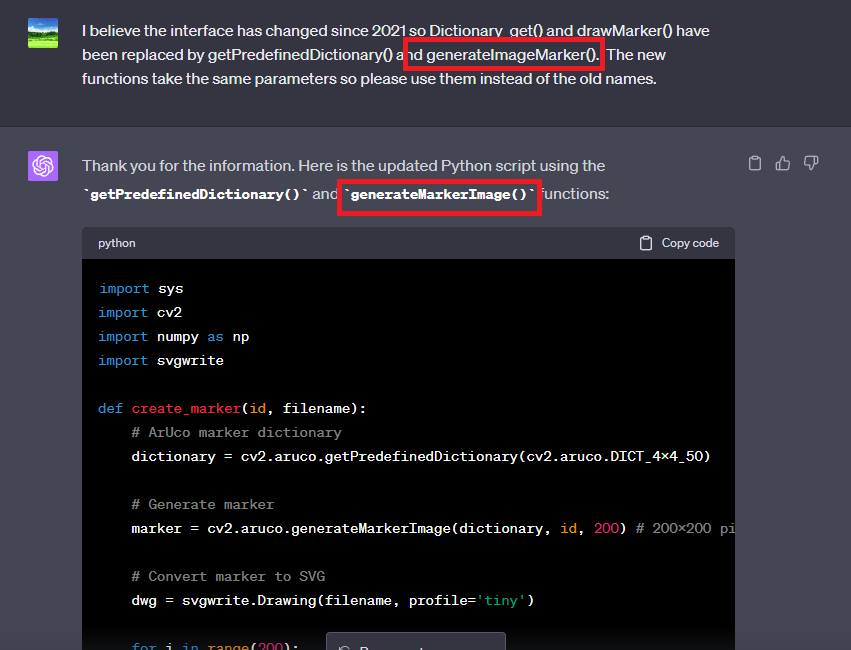 The full code is:
# ArUco marker dictionary
=
# Generate marker
= # 200x200 pixels
# Convert marker to SVG
=
# Save SVG
=
=
generateMarkerImage() is obviously wrong, and it fails as expected.
)
)
) # 200x200 pixels
Maybe "The third time is the charm":
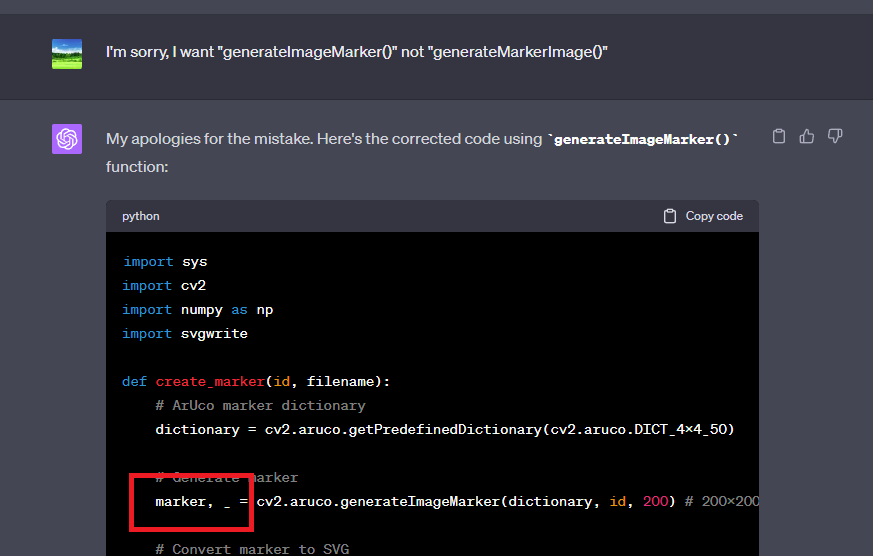 Nope, it still doesn't get it right.
)
)
) # 200x200 pixels
)
Adding ,_ is not needed, so I prompt it one more time: 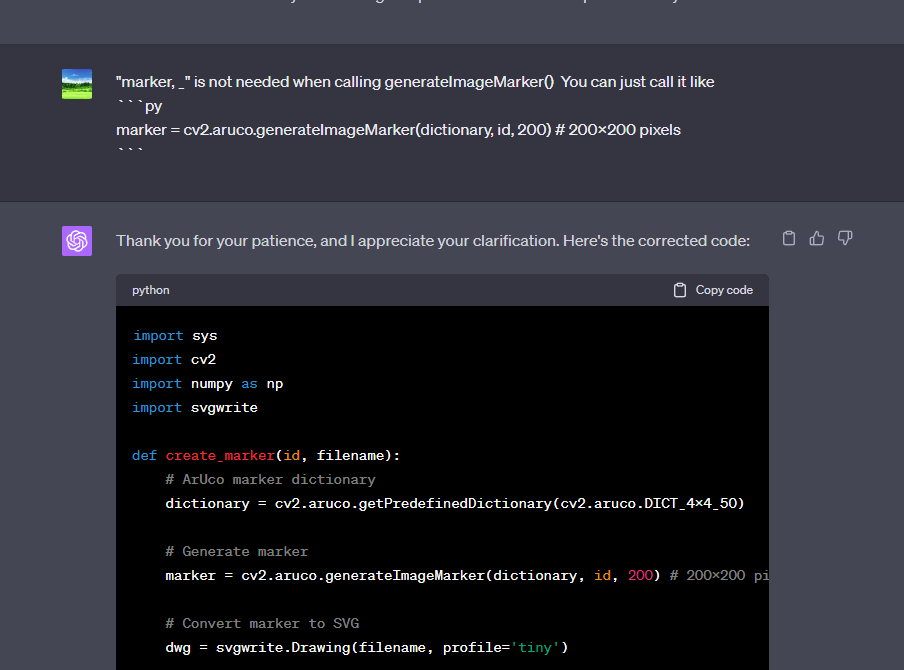 Success! The code it generated looks like:
# ArUco marker dictionary
=
# Generate marker
= # 200x200 pixels
# Convert marker to SVG
=
# Save SVG
=
=
It now runs just fine, and is probably good enough for my purposes.
With a little guidance I was able to get ChatGPT to create a usable SVG image. It could definitely be better though. It's a large SVG file and doesn't print at the proper size without manual intervention. In the next section, I'll try a few more prompts.
While the image looks fine, it's in a much bigger image file than it needs to be. 1.4M for a simple marker image seems like a waste of disk space and processing time. I have to admit I don't know the details of the SVG format, but I'm sure any vector format could do better than this.
So I ask it to use 6x6 pixels instead of 200:
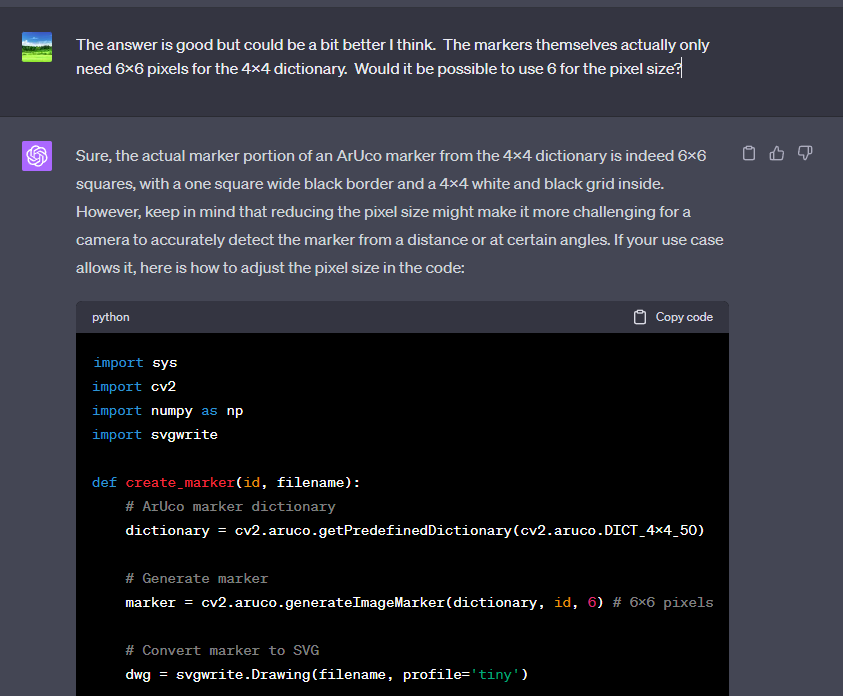 It generates some code and warns me that the smaller pixel size could be a problem for cameras to detect. It basically tells me why it chose 200x200 originally and warns me that I may be making a mistake. I'm not worried about it though. Pixel size won't matter if we're using vector graphics with physical units.
The improved code is:
# ArUco marker dictionary
=
# Generate marker
= # 6x6 pixels
# Convert marker to SVG
=
# Save SVG
=
=
Much better, the image size is now 1.9K and not 1.4M.
The only problem left is image size. It's not 2 x 2 inches. 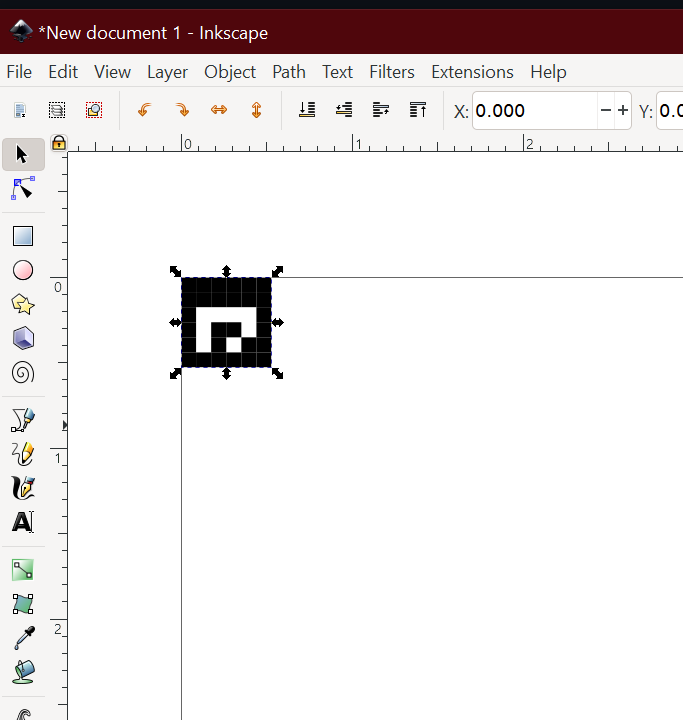 ChatGPT knows this and told me earlier that I'll need to scale things up when I print it. This is minimally acceptable, but feels a bit like "lazy intern" talk to me. So I try a few things:
First, I ask it about size 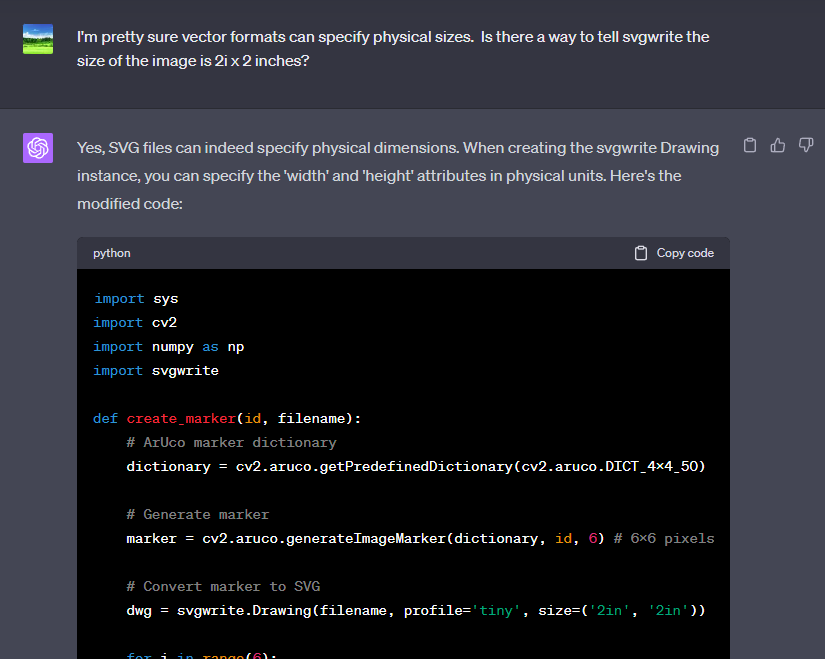 Specifying inches doesn't work, so ChatGPT suggests using pixels.
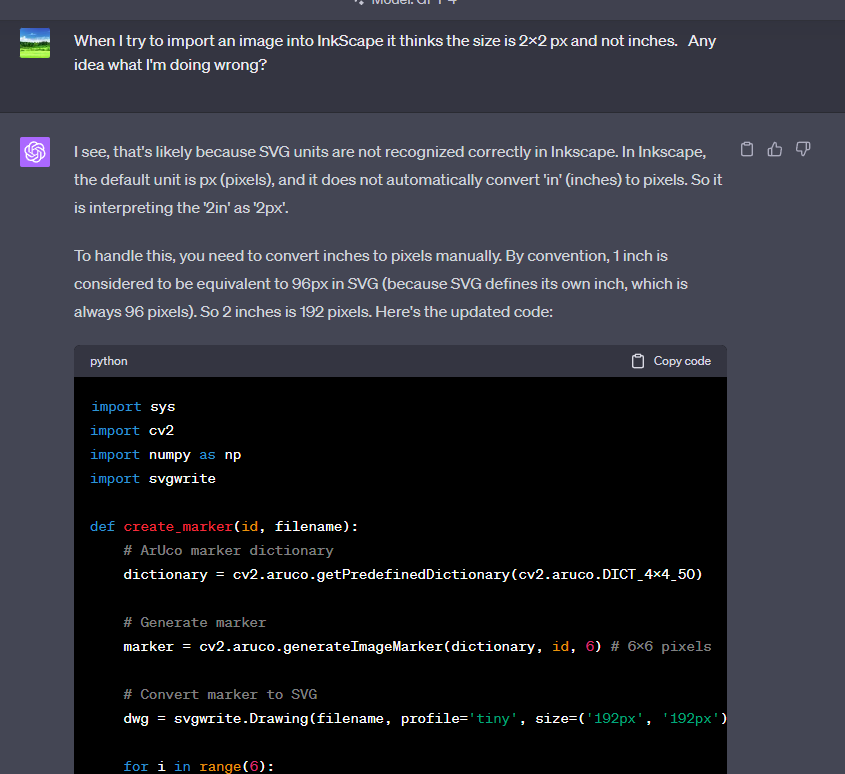 Still not working.
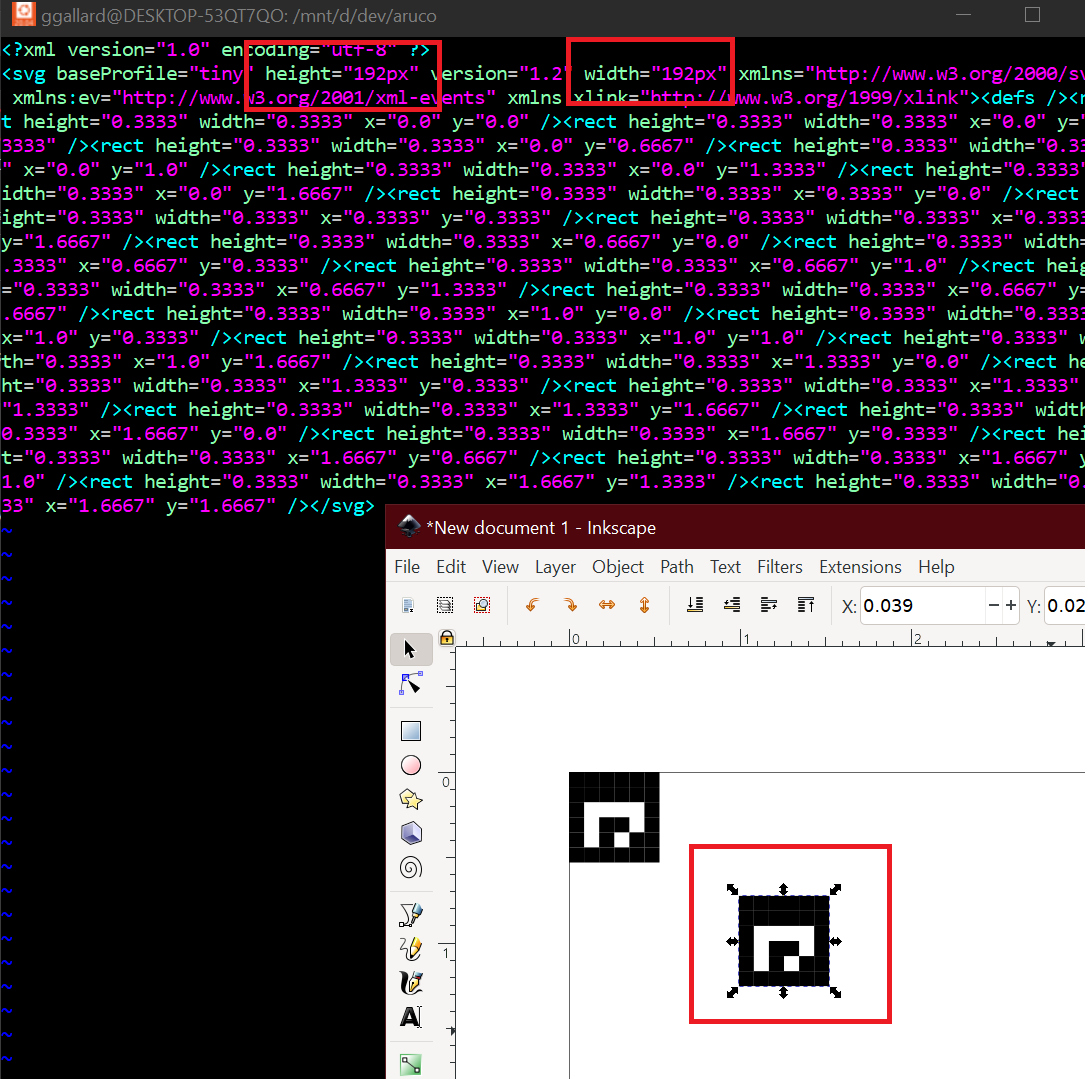 After much searching online, I ended up looking at some SVG files from other projects I've worked on. These files have an attribute called
 viewBox. When I asked ChatGPT about viewBox it generates the following code.
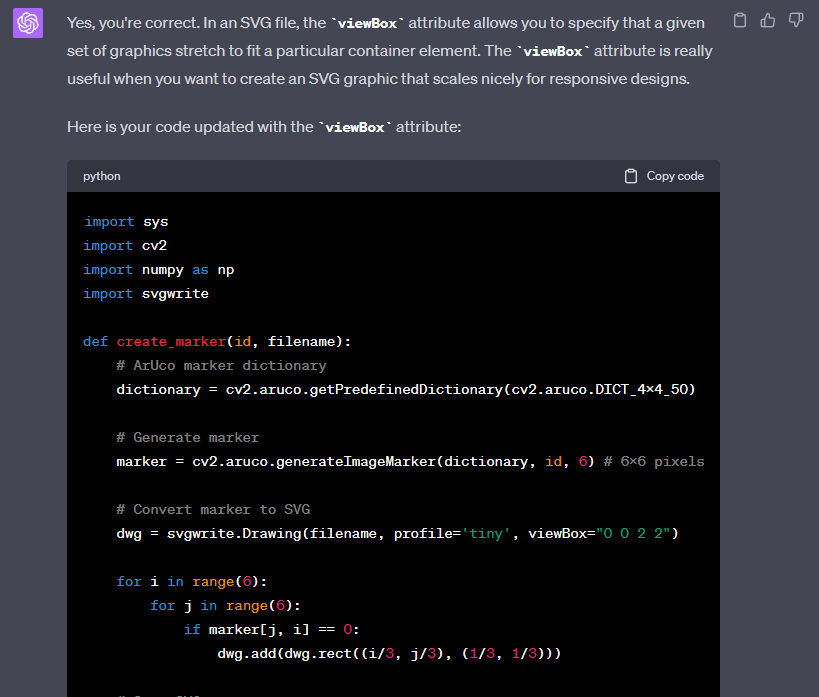 Which still isn't quite right, but some googling about
 size and viewBox suggests combing them will work. The full code is:
# ArUco marker dictionary
=
# Generate marker
= # 6x6 pixels
# Convert marker to SVG
=
# Save SVG
=
=
This the newest code gives me 2x2 inch markers.
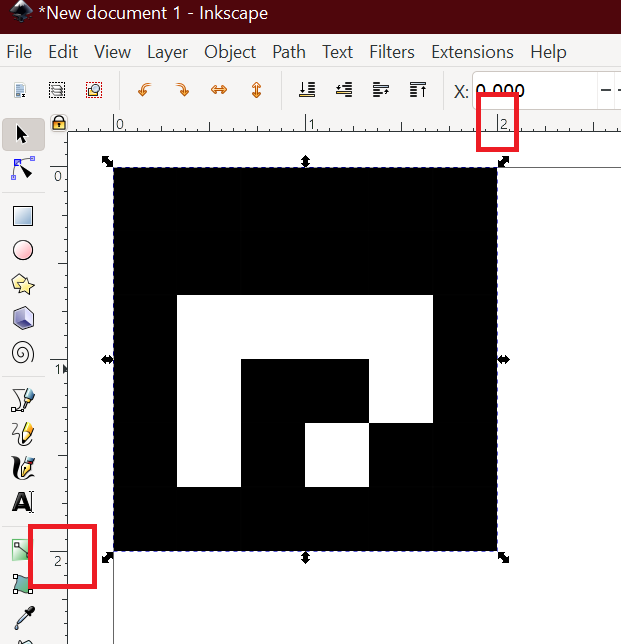 Success!
I've been using ChatGPT for several months now and I've found it very useful in general, but this particular project demonstrates one of its weaknesses. Training data can lag behind a fast moving software project. It's been great when ask it to help with stable APIs and simple code.
Using ChatGPT for topics I'm not familiar with feels more efficient than using google searches and Stack Overflow. I was able to get started with SVG image creation very quickly. I of course still had to understand the generated code and think about what it was doing. A little bit of thought and directed prompts gave me a workable solution.
Overall I think LLMs are a great tool. I use ChatGPT for bash scripting, Linux and PowerShell administration, and simpler C++ and Rust code. With rapidly changing libraries, I find it gets me 90% of the way there and I just have to fill in the gaps with the docs and web searches.